

… some easy ways to reduce our ecological footprint at work
Are you wanting to reduce your environmental footprint at work, but don’t know where to start? Here are some simple habits to save money and the environment…
Reducing your consumption
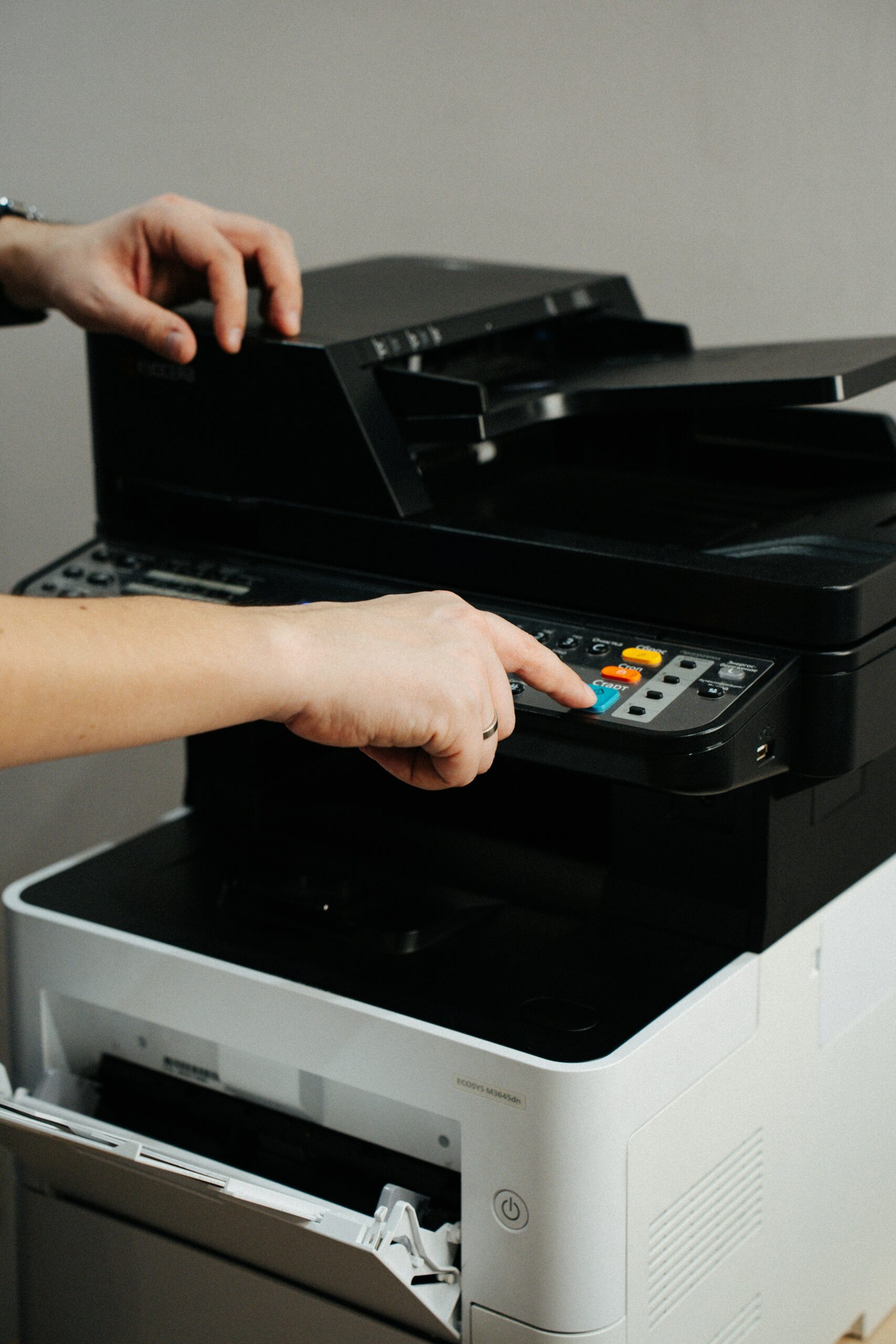
Printers and photocopiers
- Limit printing
- Opt for black and white and double-sided printing, and if possible 4 pages per sheet
- Use the photocopier instead of the printer for larger scale printing
- Reuse the one-sided printed paper to make rough paper
- Configure printer with a draft drawer, and use draft paper for reviewing and verifying the page layout of documents
- Print in “low quality” mode
- Do some research on apps/plugins specialized in reducing the cost of printing (such as Print Friendly, Clever Print…)
- Choose narrower margins
- Use the fonts made for saving ink (like Arial, Calibri, Century Gothic, Garamond, Times New Roman…)
- If one doc has to be read by multiple people, circulate a single copy
IMPORTANT FACT
A photocopier consumes 80% of its energy in waiting mode so putting it in sleep mode –or best turning it off- as often as possible is highly recommended.

Disposable dishes
- Stop using plastic cups for the coffee machines and drinking fountains; use your own cup or bottle instead
- Stop using disposable cutlery at lunch; you can bring your own lunchbox and cutlery in the cafeteria
- Opt for a compostable purchase
Electricity
- Opt for LED/ low energy consumption light bulbs
- Welcome the daylight
- Think about consumption when buying new materials
- Turn off GPS, WiFi, and Bluetooth if you’re not using them
- Put the devices in “energy saving” mode
- Turn off your computers systematically at night, during weekends, and holidays (for example: screens, lights…)
- Avoid having multiple screens and opt for a reasonable-sized screen
- Reduce the screen consumption by lowering the light, turning it off when possible, and automating the sleep mode
- Opt for a portable computer instead of a desktop computer
- Opt for WiFi instead of the 4G, and if possible use the cable.
Heating/Cooling
Summer
- Limit cooling
- Identify and use open spaces with a cooler
- Opt for working from home
- Open the windows in the morning to change the air
- Close the curtains/blinds and windows during the day to limit sun exposure
- Turn off cooling before leaving
- Set the thermostat at least at 26°C (4°C max difference between inside and outside)
Winter
- Close the blinds and curtains at night
- Limit the heating and put on a sweater
- Set the thermostat at 19°C during the day and 15°C at night, on the weekends and during holidays
- Isolate the least frequented spaces
- Keep things away from the heater

Water
- Signal any water leak (sink, toilets…) to the logistics service
- Go for tap water instead of bottles (use water fountains, carafes during meetings…

Waste
- Recycle
- Reuse rough paper
- Recycle old digital equipment

Transports
- Opt for video conference
- Opt for carsharing (Blablacar.fr, CovoitEO – service Tisséo)
- Use the train for short travel (France) or maybe even going further (Spain, Italy, UK…)
You can measure your carbon footprint thanks to Mon Petit Carbone
Make responsible purchases
- Reduce material renewing
- Choose local and eco-responsible suppliers
- Opt for eco-labelled products
- Buy recycled and recyclable products
- Opt for multifunctional devices
- Repair instead of replacing
- Contribute to your laboratory’s secondhand market: make an inventory of the devices, update their state (active, disposable, to be repaired…)

Control your digital life’s impact
Storage
- Promote dematerializing administrative processes: do not print administrative documents, facilitate digital signature
- Think of the need for a permanent storage
- Choose a communitarian area, for ex. SDrive (CNRS)
- Share an ephemeral digital area for collaborative editing, for ex. Core (CNRS), Box (IN2P3), Office365 (Universities)
- Think of the lifespan of a document in this area: archive important documents and delete obsolete ones
Have a sort-out
- Clear out the “download” file regularly
- Delete duplicates of already existing tools
- Delete obsolete documents
- Delete unused apps
- Sort out the data
- Empty the cache
Emails
- Limit large sends: choose carefully the addressee, avoid “Reply All”
- Write emails in text format
- Avoid printing mails
- Use large files transfer websites such as filesender RENATER
- Sort out your emails regularly: download important documents and delete them from your mailbox, empty the trash regularly, delete drafts and spam
- Delete spam immediately and download an anti-spam plugin
- Reduce file send: compress and delete them during a reply
- Replace joined files by a link
- Reduce email signatures with logos, and opt for a text format one
- Manage mailing lists
- Unsubscribe from unread newsletters
- Choose open-source tools (you can refer to https://degooglisons-internet.org/fr/)

Browser
- Choose an energy-saving browser
- Watch less HD and videos
- Listen to music without the video
- Reduce streaming use
- Limit flash animations
- Type directly websites’ links, use search history, save in bookmark
- Choose wisely the keywords and what you ask the browser for
Website
- Limit your web pages’ weight (database, image sizing)
- Delete pages which aren’t relevant anymore
- Avoid automated video launching
Try a digital detox
- Go off the screens at least once a week
- Limit your social media activities
Software development
- I code :les bonnes pratiques en éco-conception de service numérique à destination des développeurs de logiciels (guide EcoInfo – version 5, 14/03/2023)
Some extra resources…
- Documentation from ADEME
- Guide “Ecoresponsable au bureau“
- https://agirpourlatransition.ademe.fr/particuliers/bureau
- La face cachée du numérique
- Magazine “Numérique responsable en entreprise“
- Impact CO2 des objets et gestes du quotidien : https://impactco2.fr/
- Calculer votre empreinte carbone individuelle : https://nosgestesclimat.fr/
- Some tools to mesure the environmental impact of your website
- Matinfo6 et sustainable development